I built a map of every paper at IEEE VIS 2026 as a new way to search and explore the program. The conference runs November 9 to 13; for participants, this tool might be a great way to choose sessions or skim papers. For people who can’t attend, it might provide a chance to see what you’re missing if you can’t make it to the conference.
The concept behind this map is based on the Torahmap. I recently shared a little bit about that map of the Hebrew Bible. This uses a similar spatial metaphor: every paper has a fixed place on the map, and searches and overlays light up the parts that match.
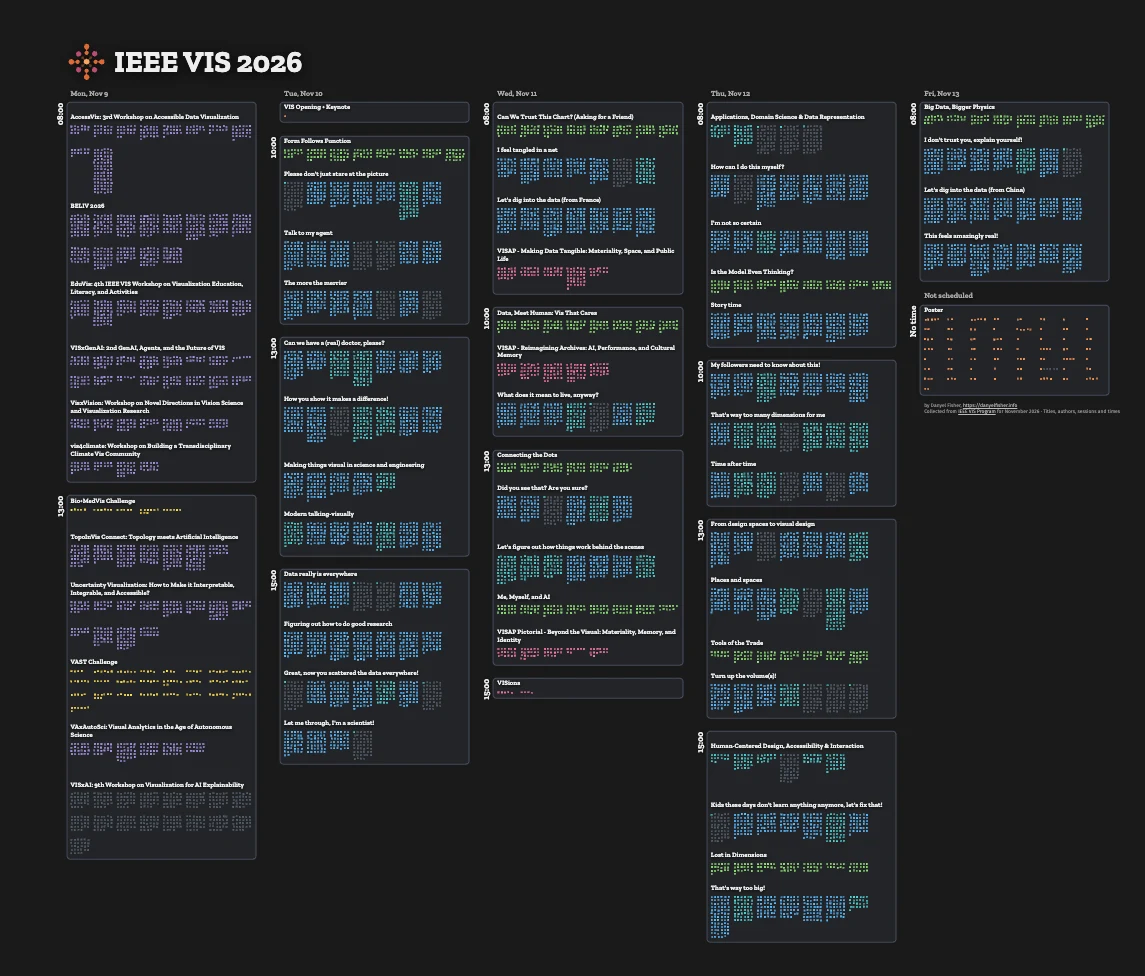
Check it out: click over to ieeevis.danyelfisher.info. Open the menu at the top left, choose Search, and search for your favorite IEEE VIS topic, keyword, or author. (Personally, I like dashboards.)
Reading the map
Figure 2 shows a single session. Tuesday at 13:00 has a session entitled “Can we have a (real) doctor, please?”, and it has seven papers in it.
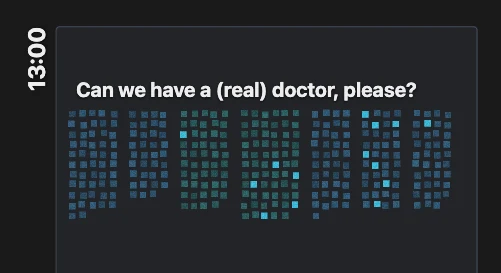
One session, searched for “dashboard”. Each lit square contains the word.
A paper is a grid of the small squares. Each square represents about 250 words of the paper – about a quarter page.
The squares run in reading order, from the top of each paper’s block to the bottom. Squares on the top, corresponding to the start of the paper, will tend to be the abstract and introduction. Squares at the bottom of a paper are the references.
The core idea of this project is that it is a map of stable squares that don’t move. They form a visual infrastructure that we can overlay other data on. By using these fixed locations, users learn how things are placed, and so don’t need to re-orient when the map changes.
For example, we can place a search over the structure. Figure 2 shows a search for the word “ dashboard”. Two of the papers in this session only mention the word in one square; two others mention it repeatedly. Where the lit squares fall matters, too: a single mention near the bottom is probably a citation, while a run of squares through the middle of a paper suggests dashboards are part of what it’s about.
Why put a conference program on a map?
It might feel odd to try to place conference programs into a spatial layout – after all, there’s no fixed, meaningful order to a conference’s proceedings. (At least, there hasn’t been since proceedings stopped coming as a printed volume.)
The goal here is to find a spatial, stable layout: one that will give users enough orientation cues to orient themselves. The papers in each session share some semantic similarity – search for “medical” or “manifold” to see particular sessions light up.
Laying it out by day and time has an extra virtue: it matches the actual week of the conference.
Things to try
The user interface is controlled by a standard menu in the top left, and, like many maps, it lets you pan and zoom. You run a visual search, or select from one of a number of overlays. Searches light up any squares that contain the keyword; overlays can work on the square or paper level to give a little more information.
Click on a single square to read a snippet of the corresponding section of the paper. In search mode, we show an excerpt of the paper that contains the search word.
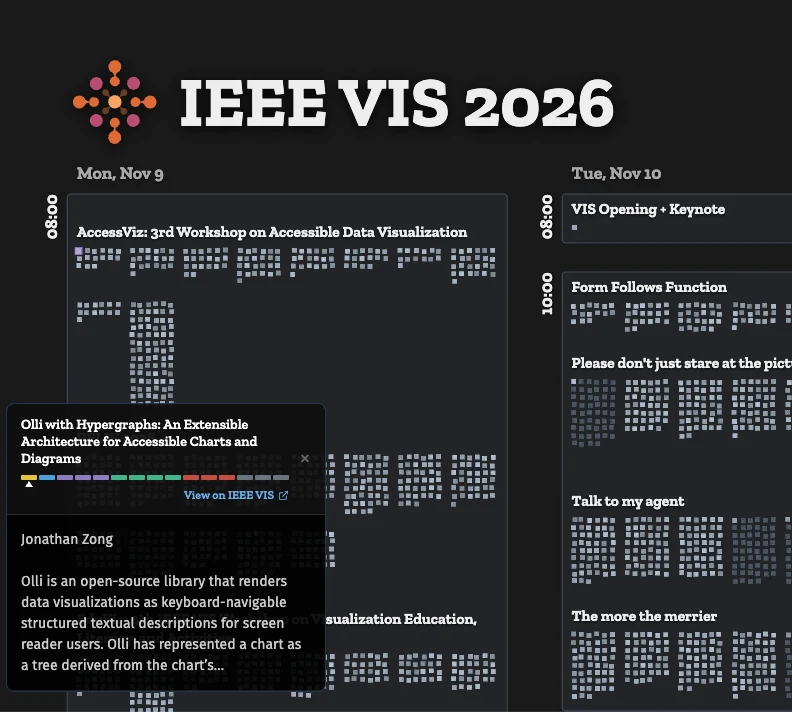
Clicking a square opens a popup for its paper, with the title, paper sections, and an excerpt of the text from that square.
Overlays:
There are a handful of overlays that show different aspects of the papers.
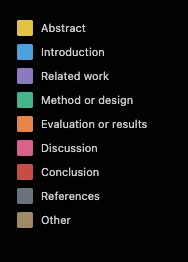
Sections – We’ve parsed all the papers and divided them by section. Each square is colored by the section that is most present within it. At a glance, you can see which papers are heavy on evaluation, and which spend longer on related work.
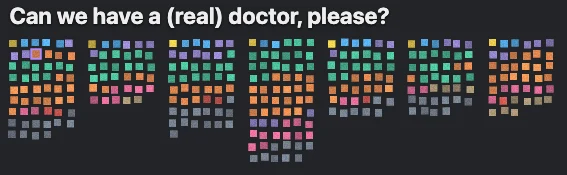
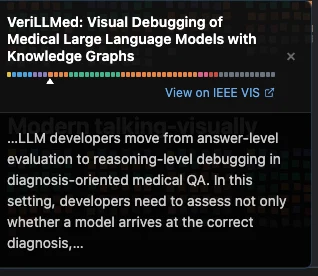
Sections overlay. On the map, each square takes the color of the section it mostly covers; the popup shows the same colors as a strip along one paper.
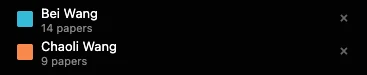
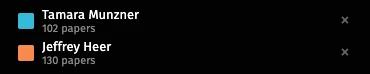
Authors – The authors overlay highlights papers by authors. In this view, we see the papers by two of the most prolific authors. It’s a quick way to find a favorite researcher’s talks across the week.
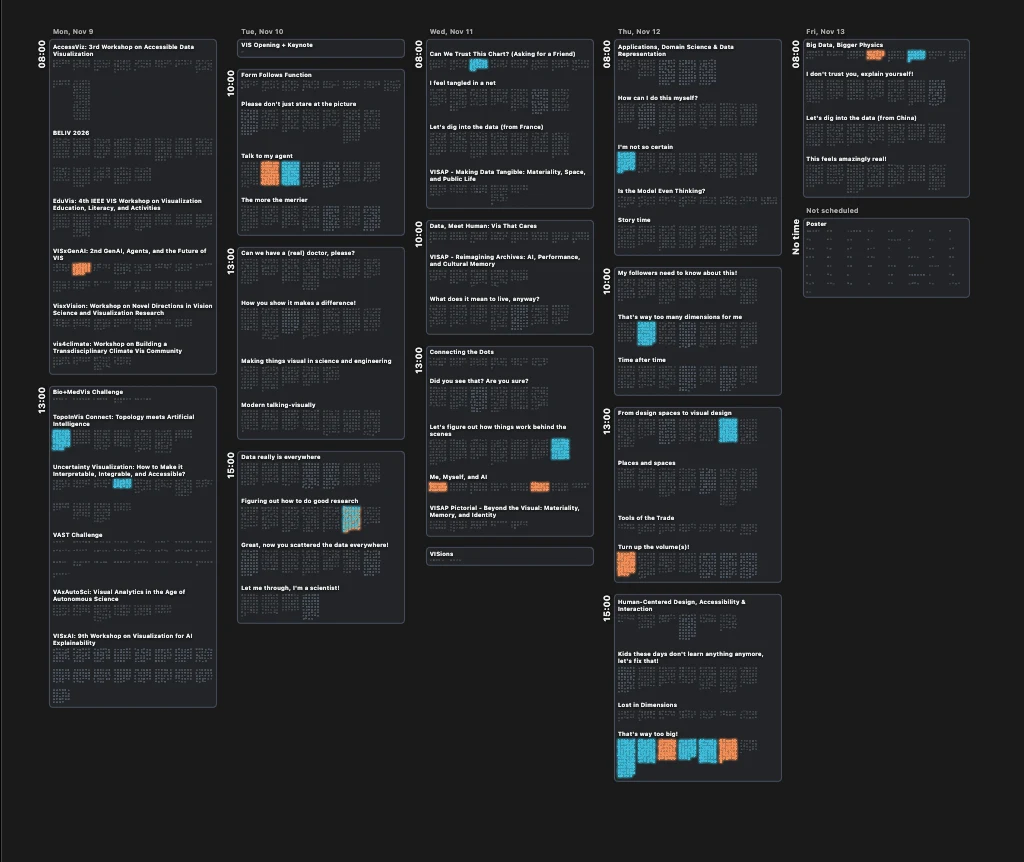
Authors overlay: papers by Bei Wang and Chaoli Wang, spread across the whole week.
Keywords – Highlights papers by the author-supplied keywords. In this view, we see papers that use the keywords for Large Language Models and Visualization. One paper in this session uses both keywords. Across the whole map, it shows which sessions a topic dominates, and which it barely touches.
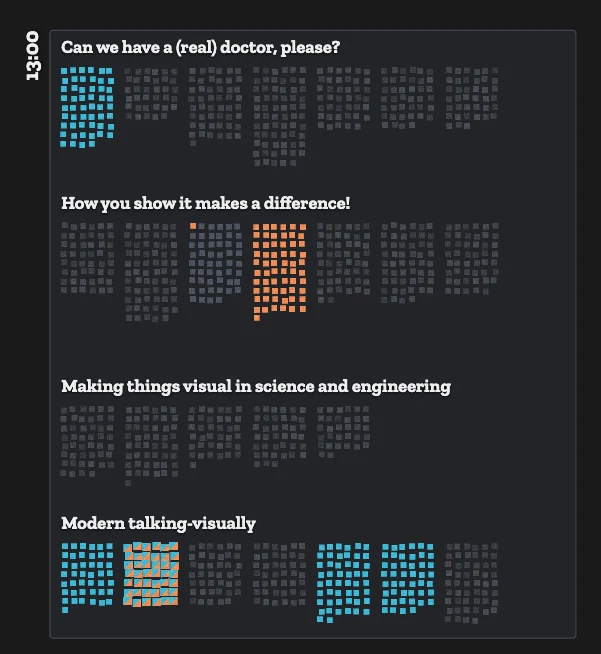
Keywords overlay: Large Language Models and Visualization, in four Tuesday-afternoon sessions. The striped paper lists both.
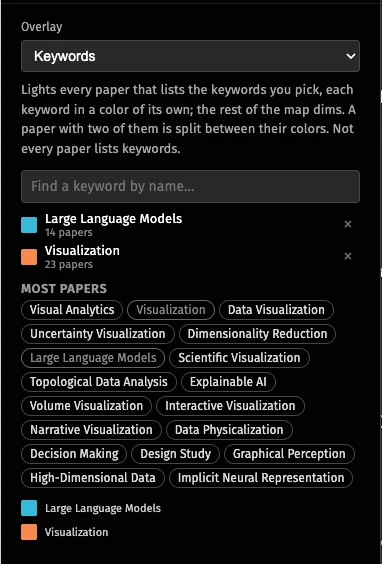
References and co-citation – pick a paper or a person and see which papers cite it. Only the reference sections light up, so you can see how often someone is cited within a paper. It shows who the community builds on, and where in the program their work turns up.
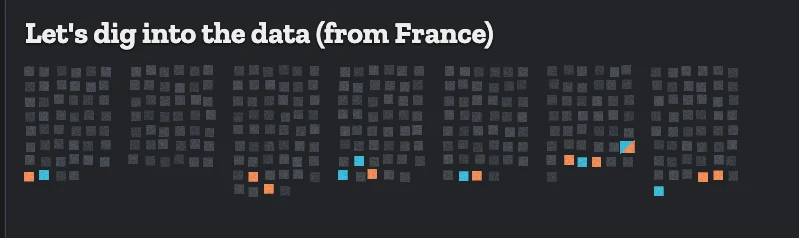
Citations overlay: references to Tamara Munzner and Jeffrey Heer light up near the end of each paper, where the reference lists are.
How the Torah is different from the IEEE VIS proceedings
This visualization reuses a lot of the machinery I built for the Torahmap project.
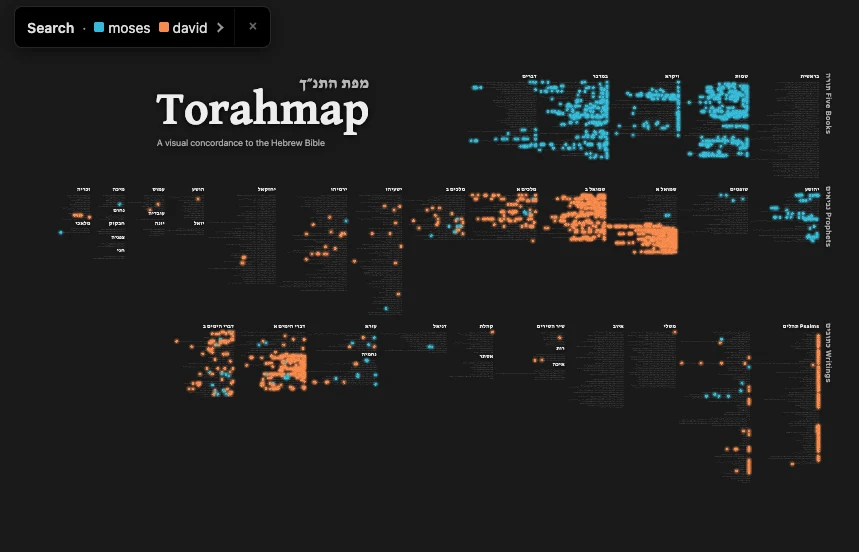
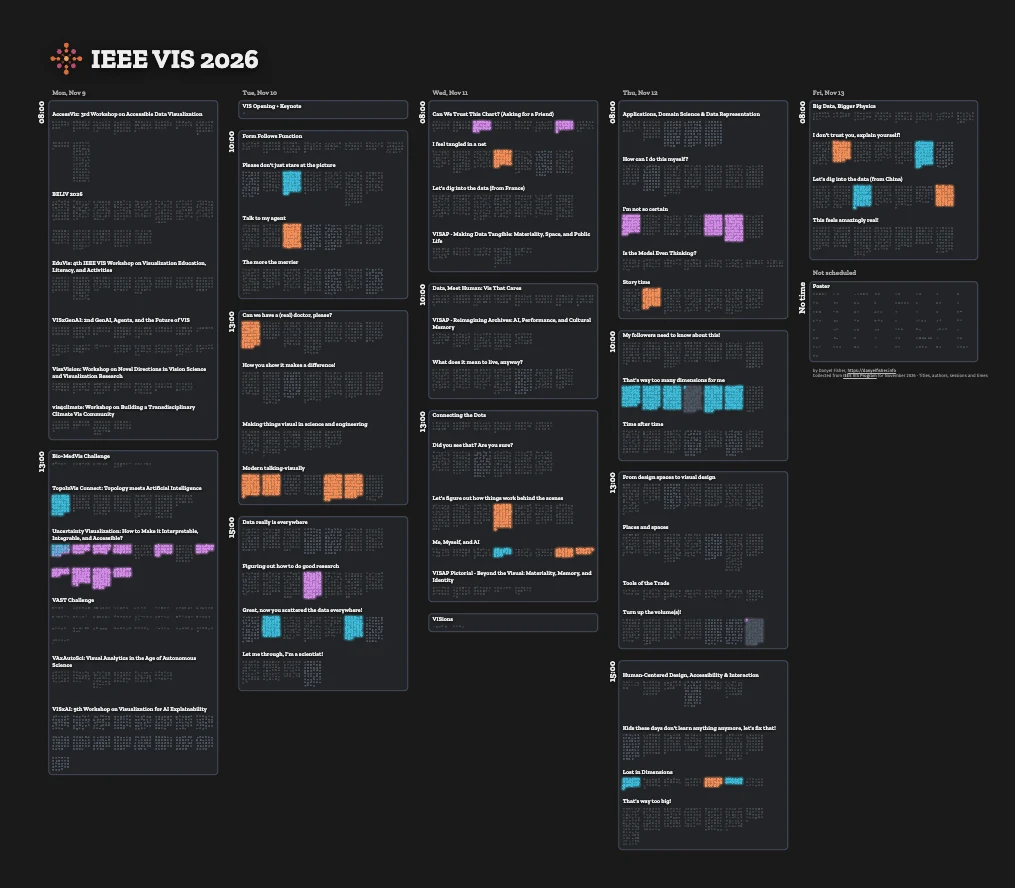
It’s worth asking, then: what is similar about these two texts that suggests I can use this sort of presentation?
There are a few similarities. Each is a medium-sized text corpus: the Torah has 23,000 verses making up half a million words; the VIS proceedings are about 500 papers, totaling about 3 million words. Both of those are big enough that they’re hard to fit in your head without assistance, too large to fit on your screen in a reader, but small enough that they fit in a system’s working memory.
The tasks, too, are similar: they are both texts where an informed reader will be looking for concepts that can recur across different places. In the Torah, we look for phrases and words that resonate across books; in the IEEE VIS proceedings, there can be themes and concepts that relate and recur. It was that concept, of wanting to look deeper into the text, that drove this project.
There are important differences, of course.
The Torah has a well-known fixed order, with familiar content that spans multiple communities of study and practice. The order of the conference proceedings is fairly arbitrary.
The Torahmap was a challenging project because it needs to handle bilingual search and display, and the additional layer of cantillation and vowels. The conference proceedings, fortunately, come in only one language – and are even marked with metadata!
There’s a last important difference. The Torah is a text that has a record of thousands of years of long-term, sustained study and discussion. It’s likely that the conference proceedings will track a shorter timeline than that.
I was excited to see that the same concept – laying out text into familiar structures – could generalize between the Torahmap and the IEEE VIS proceedings. It was a remarkable exercise thinking about the overlays and metadata that worked for the Torahmap – and seeing what questions fit best for the VIS community.
Please, go explore – and let me know what you think. What questions would you ask of a map of the conference proceedings? What overlays would be useful?
Get in touch on Bluesky, email, or find me in person at IEEE VIS 2026. I’d love to hear your thoughts!