On-call engineers.
Site Reliability Engineering (SRE) teams are responsible for understanding how complex systems behave, and bringing them back up when something goes wrong.
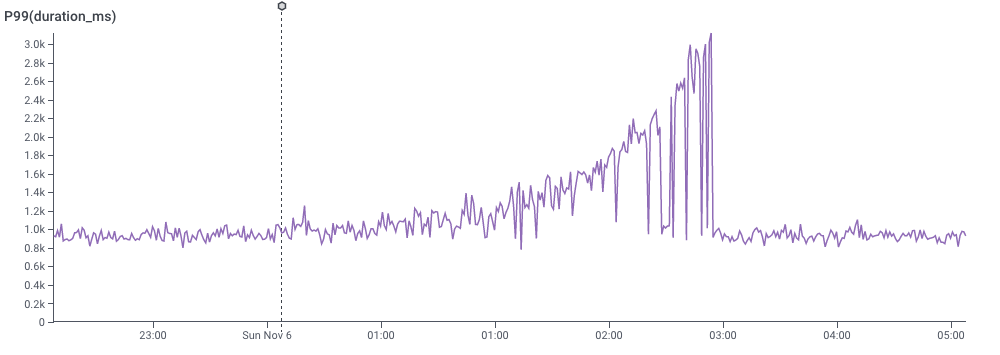
Finding which logged attribute explains a slowdown.
Honeycomb’s signature differentiator is allowing customers to store and query hundreds of columns. But when a complex distributed system of microservices is running slowly, there can be dozens of plausible causes that might cause it.
Users tried GROUP BY on one column after another, fishing for the one that mattered. Each query took a few seconds: easy for one or two queries, agonizing for dozens of columns.
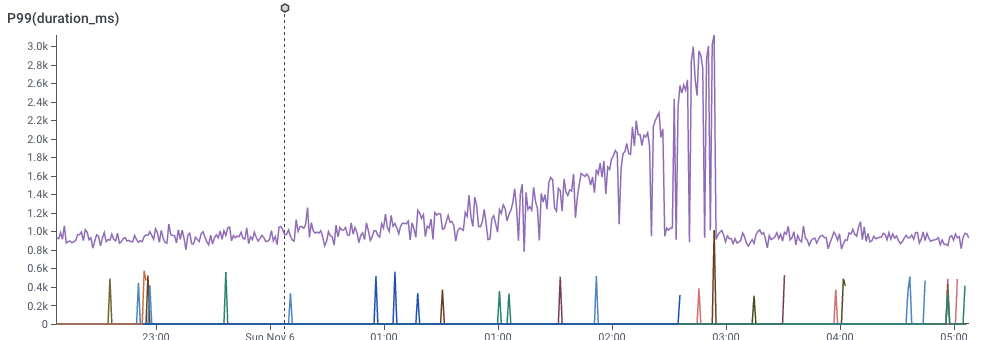
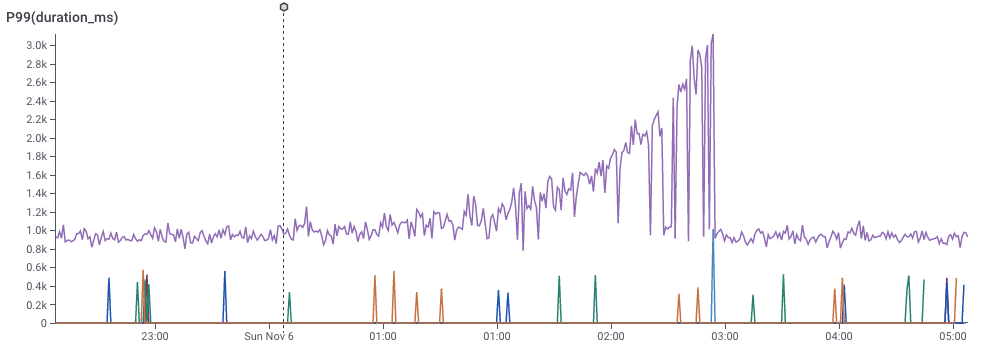
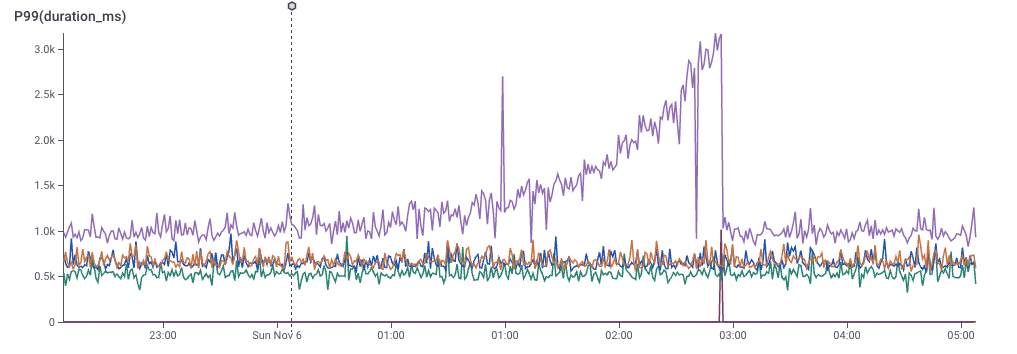
They could point at the bad requests, but not see what made them different.
Everyone I interviewed had the same hunch: something was different between the bad events and the good ones. The Honeycomb heatmap view even made the outliers obvious!
Our users had asked for faster queries. It turned out that they really needed a way to point at the outliers and ask, “what’s different about these?”

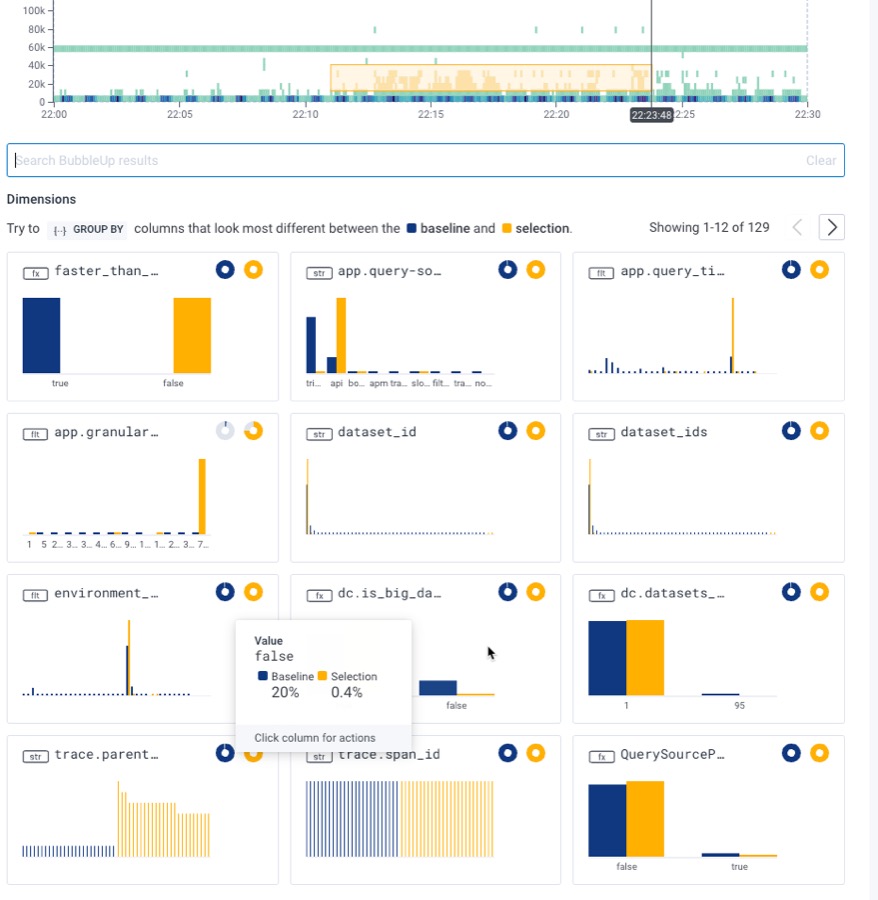
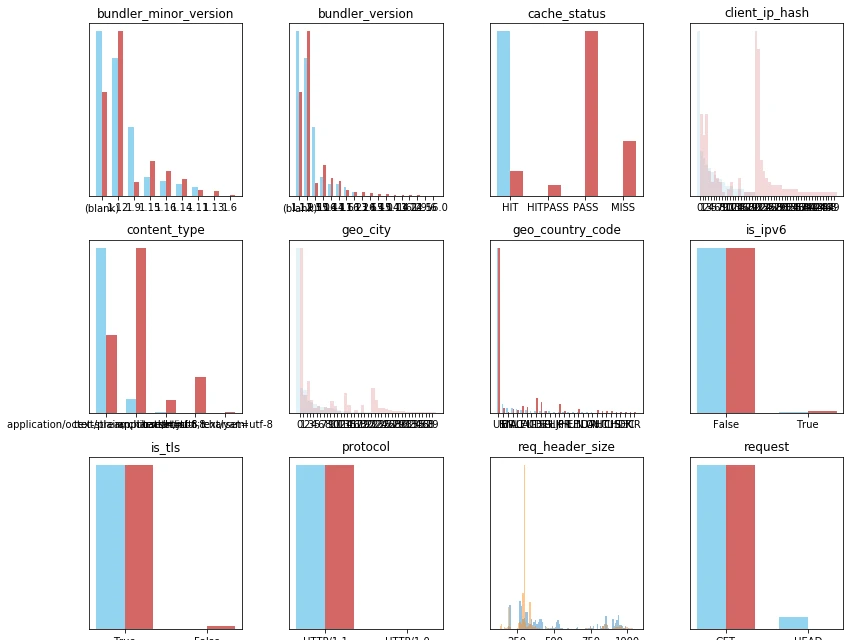
Small multiples of histograms: one per column.
Before designing anything, I needed to know whether we could extract meaning by comparing the outliers with everything else, column by column. A Google Sheets mockup on one customer’s export said yes: a few columns jumped out. A prototype in a Python notebook let me run the same comparison on many customers’ real data – and exposed edge cases that we’d need to clear up.
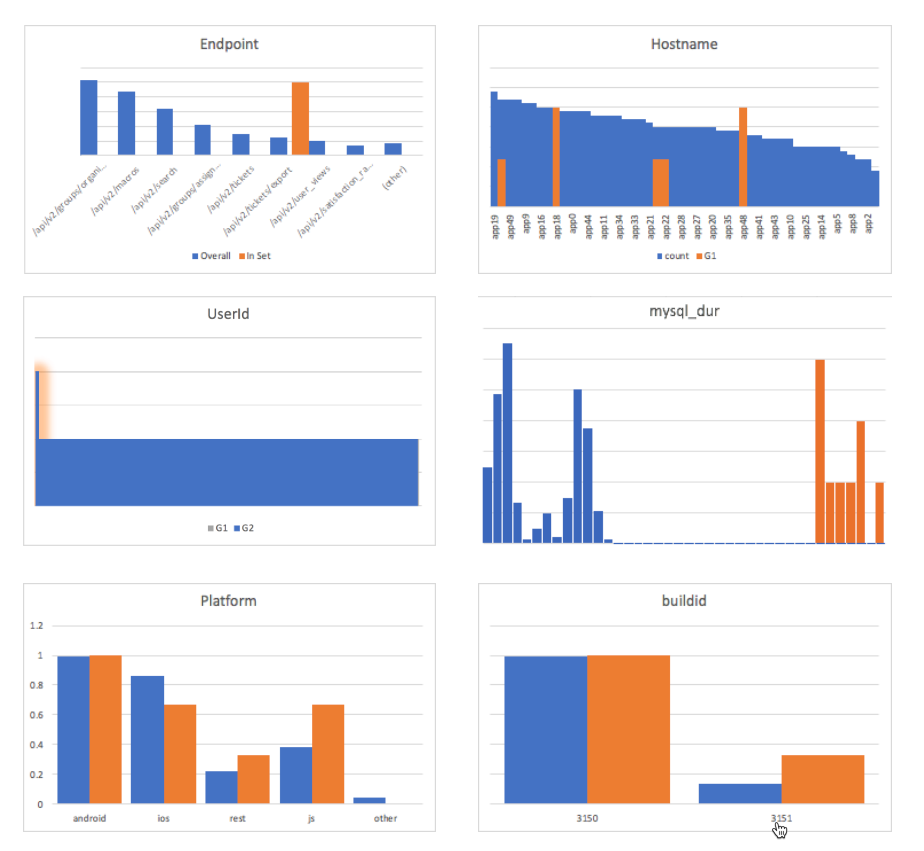
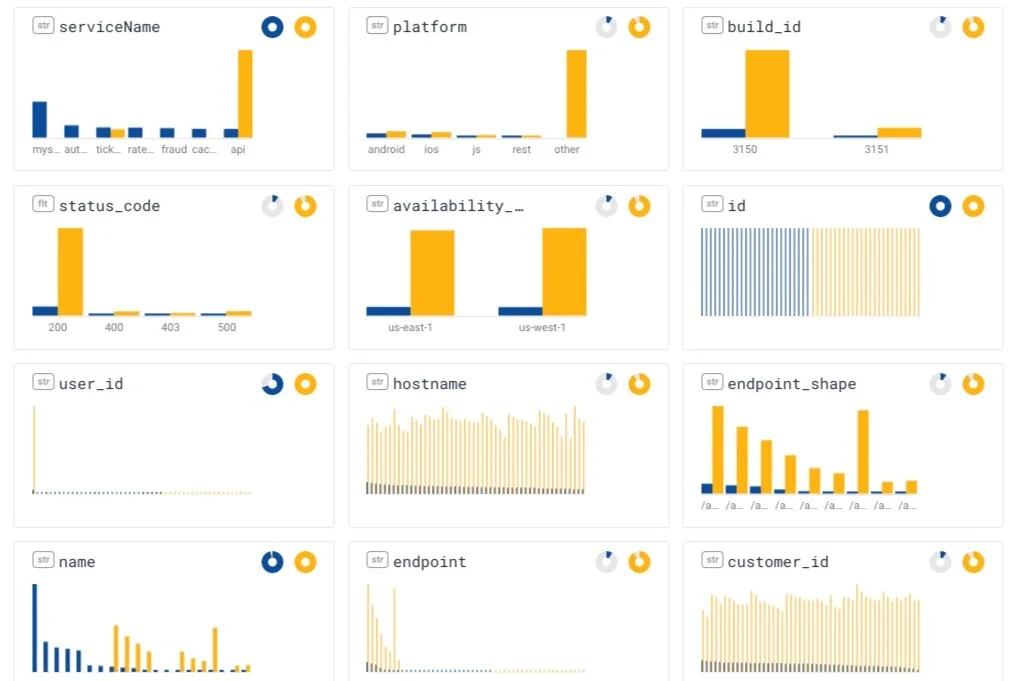
The released version of BubbleUp lets the user select the area of outliers, and shows small multiples that compare baseline data (blue) to outliers (yellow), with one small chart per column.
It changed our story.
BubbleUp changed the way our customers thought about Honeycomb. (It shifted the way we thought about our product, too!) Customers began to debug by selecting the outlier on the histogram and reading off what was different. Our sales team’s demo shortened once could jump directly to pointing at the issues.